Kakobuy Training Shoes: Compare in Sheets
Kakobuy Training Shoes: Compare in Sheets
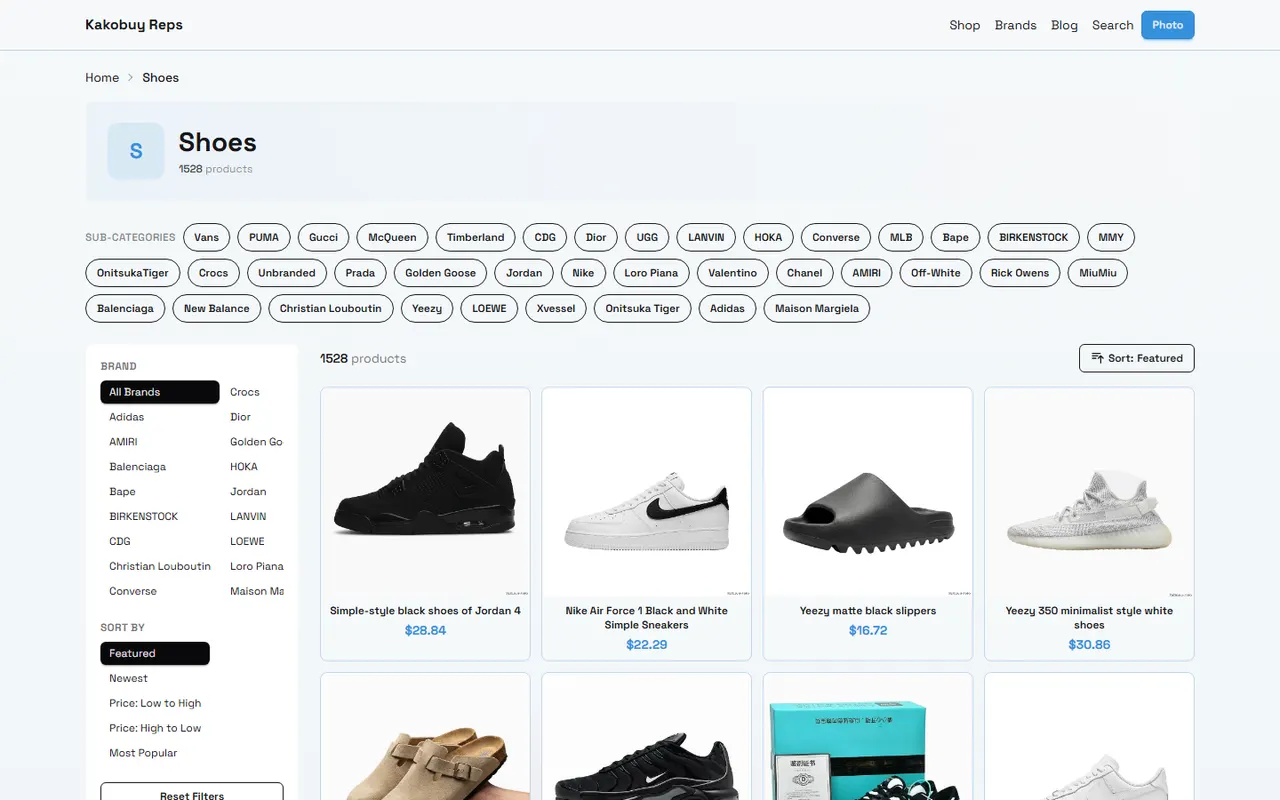
Image: A recording concept for organizing kakobuy training shoe candidates. Product names, prices, inventory, and specifications should be based on the pages visible before publishing and at the time of ordering.
When there are many training shoe candidates, the real challenge is often not finding products but determining which pair suits your training scenario better. Running, strength training, functional fitness, and daily wear have different requirements for sole stability, cushioning, upper wrapping, and sizing. Looking only at product main images or search result titles can easily mix shoes with different purposes.
This article addresses a specific problem: how to browse training shoe candidates in the website spreadsheet on kakobuy-reps.com, then record them row by row in Google Sheets according to training scenario, and finally complete pre-order filtering. After reading, you should be able to build a reviewable candidate list rather than making decisions based solely on images or seller claims.
This article is not a substitute for professional foot assessment, and it does not treat descriptions like "suitable for running" or "professional training" on product pages as performance proof. If a product lacks sole, sizing, material, or real photos, mark it as insufficient evidence rather than filling in conclusions.
First, write down the training movements and filtering goals clearly
Write down your training content first, then look at shoes. A candidate table should answer at least three questions: what movements you mainly do, which features affect safety or comfort, and what information must be confirmed before ordering.
You can break down training scenarios as follows:
Running or treadmill: focus on cushioning descriptions, sole bending form, upper wrapping, and sizing information.
Strength training like squats and deadlifts: observe whether the sole is stable, whether the heel height is clearly stated, and whether the sole edges are prone to wobbling.
Jumping, agility ladder, and functional training: pay attention to weight, lateral support, upper fixation method, and sole pattern.
Daily gym training: in addition to functional information, record cleaning difficulty, color, budget, and suitability for long wear.
Do not write "lightweight," "stable," or "breathable" as confirmed conclusions. Unless the product page provides clear data, structural descriptions, or clear images, record them as "seller description" or "to be confirmed." This step prevents a table from looking complete while mixing unverified judgments. 📝
It is recommended to set hard filtering conditions first: budget limit, acceptable size range, training type, need for wide fit, acceptance of pre-sale, and specific color requirements. Beyond hard conditions, record soft features that are comparable but not necessarily confirmable.
Browsing candidates in the kakobuy website spreadsheet
When browsing on kakobuy, first narrow down using categories, search, and product page information. Website categories are suitable for discovering candidates but cannot alone handle final comparison. Category names may cover multiple purposes; the product page is the main place to verify name, images, sizing, price, and seller information.
For each candidate opened, save the following information to a draft:
Product name and model/color shown on the product page
Current displayed price and currency
Visible size options and size chart status
Whether main image, sole image, and side image are complete
Whether the page shows material, weight, sole, or function descriptions
Seller shipping location, store information, and page update time (if provided)
Whether the product has pre-sale, out-of-stock, or specification selection restrictions
Prices, inventory, sizing, and page status may change. This article does not write any candidate's current price or stock as fixed facts; record the verification date and reopen the product page to confirm when ready to purchase. Pages that fail to redirect, redirect to empty pages, lack clear product names, or only have tag lists should not be considered valid product samples.
kakobuy provides services related to purchasing Chinese goods, warehousing, quality inspection, and international shipping. According to platform information, the total purchasing fee typically consists of product cost, domestic shipping within mainland China, international shipping, and possibly applicable customs fees; international shipping is affected by product weight, destination, and shipping method. Specific routes, fees, timeliness, and taxes should be based on the checkout page and destination country regulations.
Platform information also shows that some logistics routes may have delivery times ranging from 3 to 20 days, but this is not a guaranteed timeframe for all countries, routes, or packages. Training shoes often involve shoebox volume, so when comparing international shipping costs, do not only look at product unit price. 📦
Setting up training scenario fields in Google Sheets
Website pages are suitable for browsing, while Google Sheets is suitable for saving judgment bases. It is recommended that each shoe occupy one row, and each field carries only one type of information, avoiding writing price, sizing, and personal opinions all in one notes cell.
You can use the following fields:
Field | Content to record | Purpose |
|---|---|---|
Product name and page | Visible name, model, and page URL | Prevent candidate confusion |
Training scenario | Running, strength, functional training, or daily | Determine whether it's worth further comparison |
Price and verification date | Page displayed price, currency, date | Identify price changes |
Sizing evidence | Size chart, foot length advice, buyer measurements, or missing | Distinguish confirmable and pending information |
Sole and support evidence | Page text, sole image, side image, or missing | Avoid treating promotional words as test results |
Image completeness | Whether main, side, and sole images are complete | Help judge whether information is sufficient |
Risks and next steps | Questions to ask the seller | Support pre-order checks |
"Evidence level" is also worth setting separately. For example, clear dimensional data on the page can be marked as "verifiable"; only promotional words can be marked as "descriptive information"; only vague images are marked as "insufficient." This prevents mixing candidates with different evidence strengths when filtering.
The filtering order in Google Sheets can be: first exclude products not matching training scenario, then exclude products with unconfirmable sizing, then compare budget, sole information, and image completeness, and finally leave questions for the seller. 🔎
How to compare price, sizing, sole, and notes row by row
Price comparison should be layered. The first layer is product price, the second is domestic shipping within China, the third is international shipping after warehousing, customs fees, and other possible costs. If only the first layer is compared, low-priced shoes may lose advantage due to weight or shoebox volume.
Sizing comparison cannot just copy short phrases like "true to size" or "recommend one size up." A more reliable recording method is: save the size chart from the product page, record your foot length and width, note the measurement method, and leave unconfirmable parts in notes. Different sellers may use different size standards; even if product names are the same, do not assume sizes are completely identical.
Sole and support information should also distinguish observation from inference:
Observable: sole pattern, heel shape, visual differences in sole thickness, whether there is obvious structural segmentation.
Recordable: whether the product page clearly states purpose, material, or structure.
Not to be asserted directly: wear resistance level, actual grip, long-term stability, or suitability for certain movements, unless there is verifiable independent evidence.
Notes should serve next actions. For example, "ask about foot width fit," "confirm black inventory," "confirm in stock," "confirm shoebox included" are more useful than "looks good." For candidates with insufficient evidence, clearly writing the gap is effective recording.
For simple scoring, score only confirmed fields and keep "unconfirmed" status. Do not let one image or a high-scoring promotional word offset critical issues like missing sizing information, mismatched purpose, or inaccessible pages.
How to keep product images and text specifications aligned
When organizing images, each image should correspond to a specific product, color, or model. Do not mistakenly place a different colorway of the same style, similar shoes from different sellers, or search result thumbnails into a candidate row.
It is recommended to add the following records for the image column:
Image source page
Corresponding product name and specification
Image type, such as main image, side image, or sole image
Image verification date
Whether the image is clear, has watermarks, or copyright restrictions
The scope of facts the image can support
Images can only prove what is visible in the image, not foot feel, durability time, actual weight, or athletic performance. For example, seeing the sole pattern does not verify grip; seeing mesh on the upper does not verify breathability.
If taking screenshots to save sizing or specifications, cover order numbers, addresses, phone numbers, payment information, and other personal information. Do not upload complete shipping labels, and do not write warehouse photos, inspection photos, or seller images as your own test evidence.
When to use website categories and when to use table filtering
Website categories are suitable for answering "what candidates are available"; Google Sheets is suitable for answering "which candidates better meet my conditions." With clear division of labor, the comparison process becomes more stable.
When to use website categories:
You have not yet determined brand, model, or price range.
You need to discover products for different training purposes.
You want to see the currently visible product set on the website.
You need to return from a product page to the category to expand samples.
When to use Google Sheets filtering:
You already have multiple shoes and need to exclude by budget, sizing, or training scenario.
You need to compare price, evidence completeness, and next-step questions simultaneously.
You want to keep verification dates for later review.
You need to distinguish "clearly stated on page" from "personal inference."
Do not add fields that cannot support decisions just to make the table look rich. A field is worth keeping only if it can change filtering, seller inquiries, or pre-order checks. 🙂
How to avoid writing speculation as conclusion when evidence is insufficient
Insufficient evidence does not mean the candidate is necessarily bad; it just means a reliable judgment cannot be made currently. You can manage uncertainty with three states:
Confirmed: product page or verifiable material clearly provides information.
Pending: page has relevant description but lacks key data or conditions.
Insufficient: images, sizing, purpose, or seller information are insufficient to support judgment.
For example, "the sole looks thick" can be an image observation; "cushioning must be better" is an unverified performance inference. The former can be recorded, while the latter should be changed to "page does not provide enough evidence to judge cushioning performance."
Regarding kakobuy's inspection service, platform information states that inspection mainly checks style, quantity, color, size, model, and other appearance information, and conducts prohibited item screening; some sealed products may be checked under no-unpacking rules. This service cannot replace athletic testing or prove the shoes fit your training movements. Before purchasing, confirm whether it applies to the specific product and service.
Platform information shows that some products may have a 5-day no-reason return/exchange arrangement after warehousing, but customized, restricted, intimate apparel, and items with removed packaging, tags, or accessories may not apply. Whether training shoes meet current return/exchange conditions should be checked on the product and platform pages before ordering. 💡
Pre-order checklist after completing training shoe candidate comparison
Keep only candidates that can complete the next verification step. Before submitting the purchase request, check in the following order:
Product page still accessible, with consistent name, model, color, and size selection.
Product price, inventory, and domestic shipping within mainland China have been re-verified, with verification date recorded.
Your foot length and width have been compared with the product size chart; if in doubt, ask the seller first.
Training scenario matches visible information on the product page; no speculation treated as performance promise.
Images and text specifications belong to the same product and specification.
Estimated product cost, domestic shipping, international shipping, and possibly applicable customs fees.
Confirmed destination country import restrictions, taxes, and recipient information requirements; do not use under-declaration, split shipments to avoid taxes, or circumvent inspections.
Understood warehousing, inspection, and return/exchange conditions, and noted exceptions to confirm.
If choosing combined shipping, estimate based on your samples: combined shipping may reduce repeated first weight or some handling costs, but may also increase volumetric weight, parcel value, and single-loss risk. Split shipping may increase fixed costs but is more suitable for route restrictions, parcel value, or risk diversification. Therefore, add three items to the table: "combined shipping benefit," "new risks," and "suitable for current order," rather than assuming combined shipping always saves money.
This recording method is more suitable for people who need to compare multiple shoes, have inconsistent sizing information, or want to keep purchase rationale. If buying only one pair and product information is very clear, direct page verification may be more efficient. Conversely, if product pages lack clear names, sizing, and visible specifications, it is not recommended to continue ordering based solely on images or low price.
Savings should be based on actual checkout page and logistics quotes; increased risks mainly include unsuitable sizing, insufficient evidence, volumetric weight from shoebox, and concentrated single-loss after combined shipping. If key conditions cannot be confirmed after completing the table, keep the candidate in the pending area rather than substituting a seemingly certain score for evidence.
Agent platform shopping FAQs
1. Is there a security risk in using kakobuy's spreadsheet website?
kakobuy's spreadsheet website does not collect any personal information; it serves only as a product catalog for the agent platform, and all transactions occur on the agent platform.
Browse our latest products and find your next favorite item.